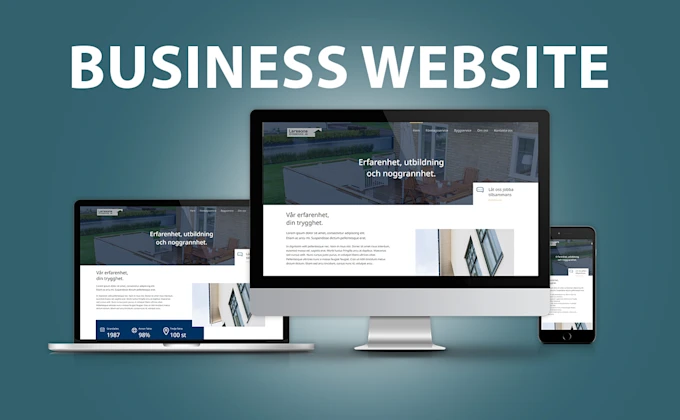
Best WordPress Themes for Beginners
Discover the top WordPress themes for beginners in 2024. Learn how to choose a fast, SEO-friendly, and customizable theme for your new website.

Starting your first website can be daunting. The theme you choose dictates loading speed, mobile responsiveness, and customization ease, profoundly impacting user experience, SEO, and success.
This guide breaks down the best WordPress themes for beginners. Our selections balance robust functionality and intuitive simplicity, helping you launch a professional, high-performing website quickly, even without prior web development experience.
Why Your Theme Choice Matters Critically for SEO, Performance, and User Experience
Many beginners choose a WordPress theme solely based on aesthetics. However, a visually stunning theme that is poorly coded, bloated, or lacks updates can severely hinder SEO, frustrate users, and pose security risks. Prioritize these aspects:
- Speed and Performance: Google uses page speed as a ranking factor. Lightweight themes load faster, improving SEO and user experience. Slow sites increase bounce rates.
- Mobile Responsiveness: Most web traffic is mobile, so your theme must be responsive, adapting to all screen sizes. Non-responsive sites are penalized by Google.
- Plugin Compatibility: Your site will use plugins (e.g., e-commerce, SEO). Your theme should be compatible with essential plugins like WooCommerce, Yoast SEO, Contact Form 7, and Elementor.
- Regular Updates and Support: Choose themes from reputable developers who provide consistent updates, clear documentation, and active customer support. This ensures security and compatibility.
1. Astra: The Most Popular and Versatile Multi-Purpose Theme
Astra is a gold standard for WordPress beginners. Renowned for its lightness (under 50KB frontend), it boasts a colossal library of "Starter Templates" to professionally designed, pre-built websites importable with one click. Its modular approach loads only necessary CSS and JavaScript.
Pros for Beginners:
- Deep Integrations: Works perfectly with page builders like Elementor, Beaver Builder, and Gutenberg, offering design freedom without coding.
- No Coding Required: Customize colors, typography, and layouts intuitively within the WordPress Customizer.
- Blazing Fast Load Times: Excellent out-of-the-box performance, critical for SEO and user experience.
- Extensive Documentation & Community: Comprehensive guides and an active community.
2. OceanWP: Robust for E-commerce & Feature-Rich Websites
For online stores using WooCommerce, OceanWP is exceptional. It offers deep, native e-commerce integration, often requiring premium plugins in other themes (e.g., quick-view popups, floating add-to-cart bars, off-canvas filters). It's feature-rich, yet relatively lightweight and customizable.
Pros for Beginners:
- E-commerce Powerhouse: Built for WooCommerce, providing extensive shop customization, multiple product display styles, and crucial e-commerce features.
- Fully Responsive & Retina Ready: Ensures pristine appearance and flawless function on all devices.
- Native Feature Extensions: Includes valuable internal extensions (e.g., sticky header, custom sidebars), reducing the need for third-party plugins.
- Highly Customizable: Granular control over layouts and settings without touching code.
3. GeneratePress: Performance First with Modern Block-Based Design
GeneratePress is for users prioritizing unparalleled speed, clean code, and tight integration with the native WordPress Gutenberg block editor. While powerful, its lightweight nature minimizes visual glitz; its strength lies in performance and flexibility. It's an ideal partner for block-based WordPress. The free version is potent; the Premium version adds a modular system for activating only needed features, preventing bloat.
Pros for Beginners:
- Extremely Stable & Secure: Built on best coding practices for reliability and fewer compatibility issues.
- Excellent Accessibility Features: Designed for universal usability, including those with disabilities.
- Dedicated Support Forum: Responsive, helpful community and developers.
- Tiny Footprint: One of the smallest themes, contributing to lightning-fast load times.
4. Hello Elementor: The Ultimate Blank Canvas for Elementor Enthusiasts
If you plan to build your site entirely with Elementor Pro, Hello Elementor is an unbeatable choice. It's a "blank canvas" to minimalist with zero inherent styling or bloat. This is its greatest advantage: it adds virtually no code, handing 100% design control to Elementor, resulting in a clean, fast, and unconflicted build.
Pros for Beginners:
- Zero Bloat, Maximum Performance: A barebones theme, ensuring the fastest possible foundation for your Elementor site.
- Ultimate Elementor Compatibility: Engineered by the Elementor team, guaranteeing perfect, future-proof compatibility.
- Free Forever: A completely free theme that serves its specific purpose exceptionally well.
- Unrestricted Design Freedom: Absolute control to design every pixel using Elementor Pro, unfettered by theme styles.
Strategic Theme Usage and Best Practices
After selecting a beginner-friendly theme, follow these tips for seamless setup, optimal performance, and scalability:
- Always Use a Child Theme: Never make direct code changes to your main theme. A child theme safely adds custom code without losing it during updates.
- Limit Your Plugins: Every plugin adds code, potentially slowing your site and introducing vulnerabilities. Install only essential plugins.
- Optimize Your Images: Before uploading, optimize images using tools like TinyPNG or ShortPixel. Image optimization dramatically reduces page load times.
- Check Core Web Vitals Regularly: Use Google PageSpeed Insights, GTmetrix, or Pingdom Tools to analyze site performance focusing on Core Web Vitals. This ensures optimal performance and identifies areas for improvement.
Conclusion
Choosing the right WordPress theme is your first major, impactful milestone. For most beginners, Astra offers the best balance of ease-of-use, extensive starter sites, and robust performance. If speed is paramount and you prefer a modular approach, GeneratePress is unmatched. For online selling, OceanWP provides a powerful, feature-rich platform. Lastly, if fully committed to Elementor Pro, Hello Elementor offers the purest foundation.
By starting with a solid, well-chosen theme, you save countless hours, avoid common pitfalls, and strategically position your website for long-term SEO success, superior user experience, and growth.
Need help? If you find the setup process overwhelming, struggle with theme customization, or simply want a custom-designed WordPress, Shopify, or WooCommerce store that truly stands out from the competition, Deloar is here to help. Whether you require a high-converting landing page crafted with Elementor, a fully functional e-commerce solution, or bespoke design integration, you can hire me on Fiverr for professional, reliable service tailored precisely to your business goals.
Reactions
Be the first to react.
Discussion
Comments(0)
Loading comments…
About the author
Deloar , Premium WordPress & Shopify Developer
Fiverr Level 2 freelancer building modern, conversion-focused websites for founders and brands worldwide.